Choose a Vitrium DRM solution
With different editions and different product lines, Vitrium has a range of DRM solutions to meet your needs.
Vitrium Pro
Content protection for lower volumes
Vitrium Enterprise
Content protection with automation & integration
VitriumOne
Content protection & license redistribution
DRM Protection & Controls
Protect documents, images, audio and videos
Video and audio protection is an add-on cost
Prevent printing, copying and screen sharing
Apply dynamic, user-identifying watermarks
Set expiry dates and device limits
Set open limits, IP address and location controls
Advanced DRM is an add-on charge for Vitrium Pro
Allow protected PDF download option
Allow users to view other users' annotations or form fill data in web viewer
Advanced DRM is an add-on charge for Vitrium Pro
Licensing & Redistribution
Assign different permissions to different users
Enable self-registration for end users
License content to schools or corporations who can redistribute content to students, trainees or others
Allow admin and staff accounts to share content via a limited-time access code
User Access
Access documents and images via a secure web viewer with viewing and annotation features
Access videos and audio via secure, streaming web player with different resolutions, bookmarks and more
Video and audio protection is an add-on charge
Access content via a central, customized web portal
Implement single sign-on (SSO) access with Google, Microsoft, Facebook and Salesforce
SSO for Vitrium Pro is an add-on feature
Implement single sign-on (SSO) access with Clever or Classlink
Integrate with an eCommerce system
Some restrictions apply for Vitrium Pro and VitriumOne
Integrate with an LMS, AMS or other 3rd party system
Analytics & Tracking
Track who is accessing your DRM content, when, where and how
Drill down into analytical reports to gain insight into user behaviors
Learn what your top performing content are or who your most active users are
Track which licenses / access codes have been assigned
Implementation & Support
Complimentary training on how to use the software and how to support your end users
Access to senior-level technical engineers during your implementation
Ongoing support post-training or post-implementation
Access to manuals, guides and Vitrium’s Knowledge Base
Vitrium Customer Experience: Find the Right Vitrium Solution for Your Needs.
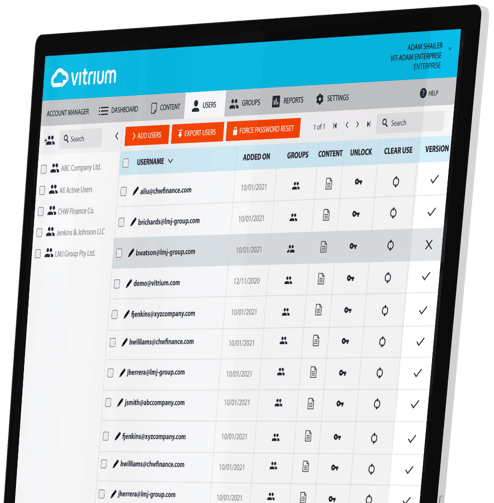
If you’re unsure which DRM solution from Vitrium is right for you, contact our team and we’ll learn more about your goals and challenges.
CONTACT US
© Copyright 2026 Vitrium Systems Inc.