


The CONTENT tab is the primary place where you will upload and manage your content. Vitrium converts uploaded files into encrypted formats that cannot be edited.
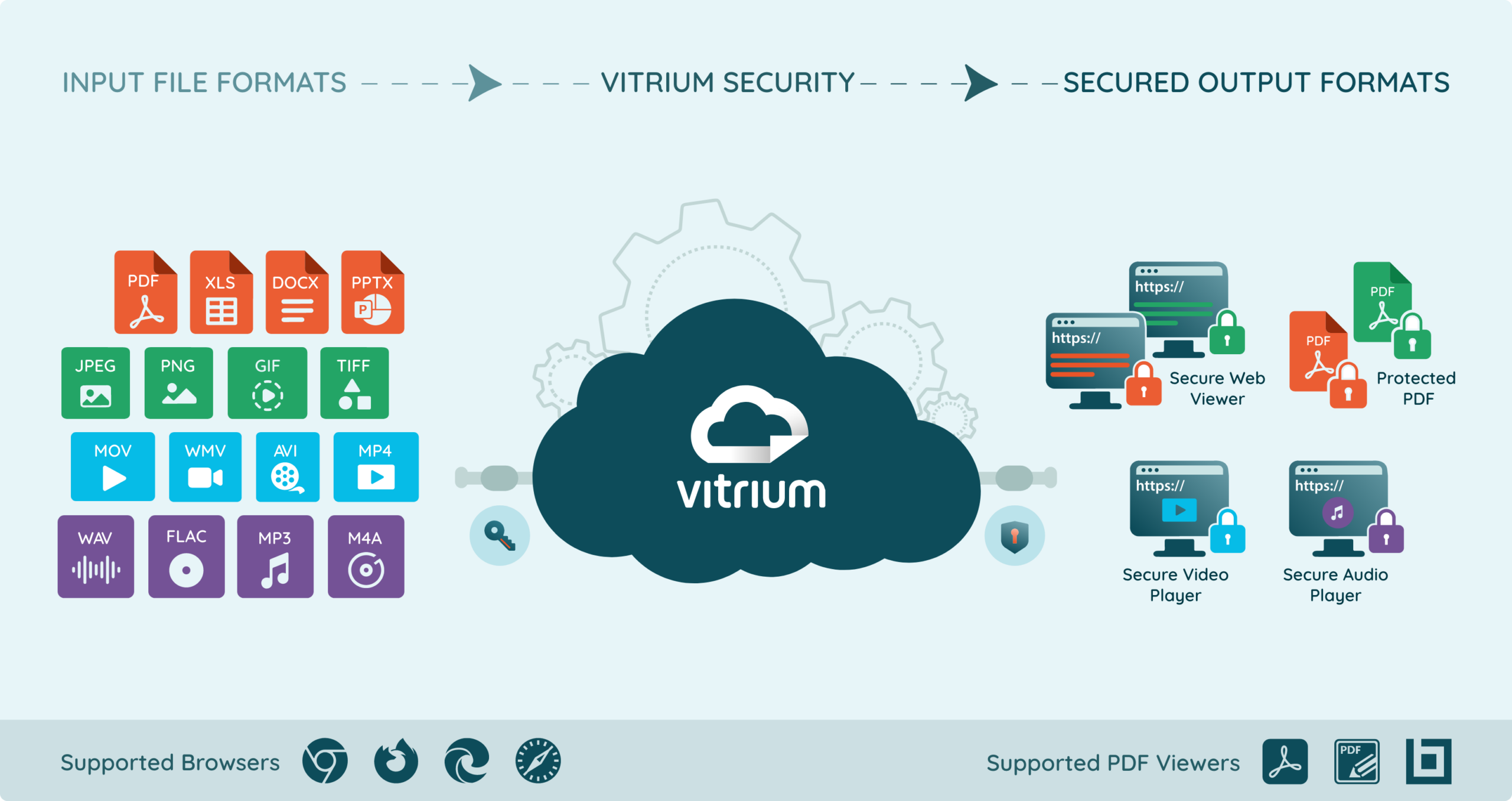
Vitrium supports over 25 different file inputs but only has 4 different encrypted formats, depending on what type of content is being uploaded. To learn more, click on these sections:
{% icon icon_set=”fontawesome-6.4.2″ name=”File Shield” style=”SOLID” height=”28″ purpose=”decorative” title=”File Shield icon” %} Supported File Formats
The following are the supported file formats in Vitrium:
| Input Formats | Encrypted Formats |
{% icon icon_set=”fontawesome-6.4.2″ name=”File Lines” style=”SOLID” height=”14″ purpose=”decorative” title=”File Lines icon” %} DocumentsPDF |
Secure Web Viewer Protected PDF File |
{% icon icon_set=”fontawesome-6.4.2″ name=”Image” style=”SOLID” height=”16″ purpose=”decorative” title=”Image icon” %} ImagesJPG |
Secure Web Viewer Protected PDF File |
{% icon icon_set=”fontawesome-6.4.2″ name=”Video” style=”SOLID” height=”15″ purpose=”decorative” title=”Video icon” %} VideosMOV Resolutions Supported: 240p, 360p, 480p, 720p, 1080p |
Secure Video Player |
{% icon icon_set=”fontawesome-6.4.2″ name=”Volume Low” style=”SOLID” height=”16″ purpose=”decorative” title=”Volume Low icon” %} AudioWAV Audio will be available in stereo sound. |
Secure Audio Player |
Supported Browsers
For Secure Web Viewer, Video Player, and Audio Player
| Desktop | Mobile / Tablet |
|
* Excludes Firefox on iOS mobile devices |
Supported PDF Viewers
For Protected PDF
| Desktop (Windows) | Desktop (Mac) |
|
|