


In Vitrium, you can enable the Subscription Policy:
- By Users
- By Groups
You can only choose one option and, whichever one you choose, you can set a subscription start and end date the user or group to have access to access you’ve granted them permissions for.
Subscription Policy by Users

Subscription Policy by Groups

 Important Note:
Users or groups will still need to have permissions assigned to them. The subscription policy indicates the time period when they can access that content.
To Enable the Subscription Policy
- In Vitrium, go to the SETTINGS tab
- Click the drop down menu next to Enable Subscription Policy and select one of the options:
- Enable at Group Level
- Enable at User Level
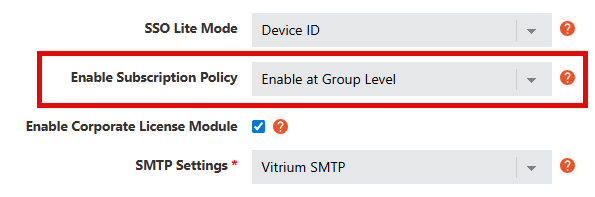
- Click SAVE SETTINGS in the top left corner.
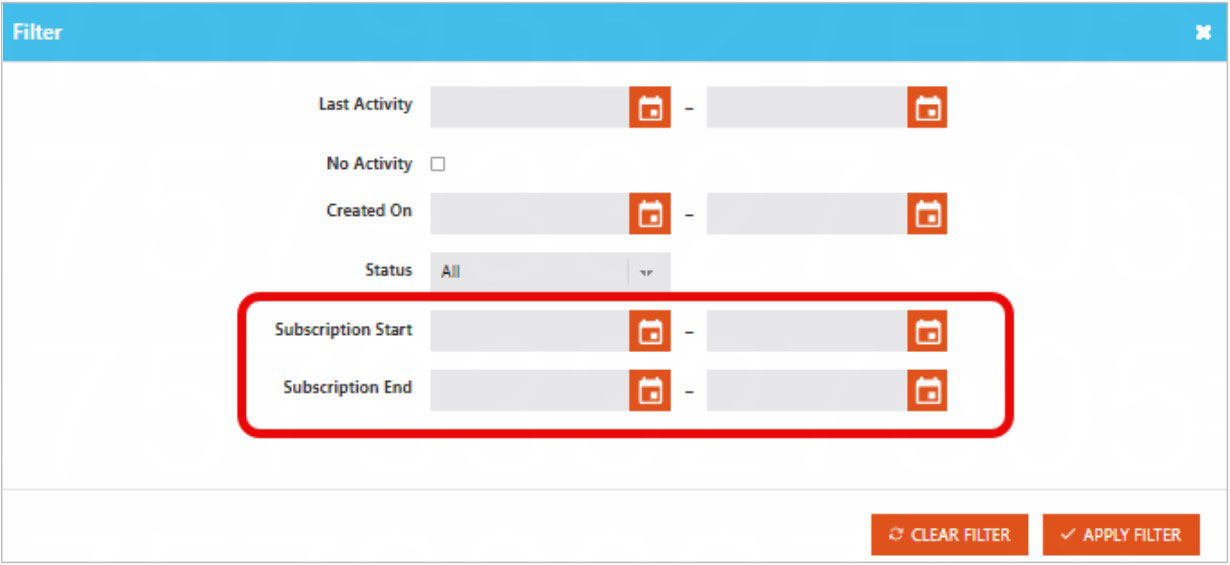
- Depending on which option you selected, go to either the USERS tab or GROUPS tab and you should see two new columns:
- SUBSCRIPTION START
- SUBSCRIPTION END
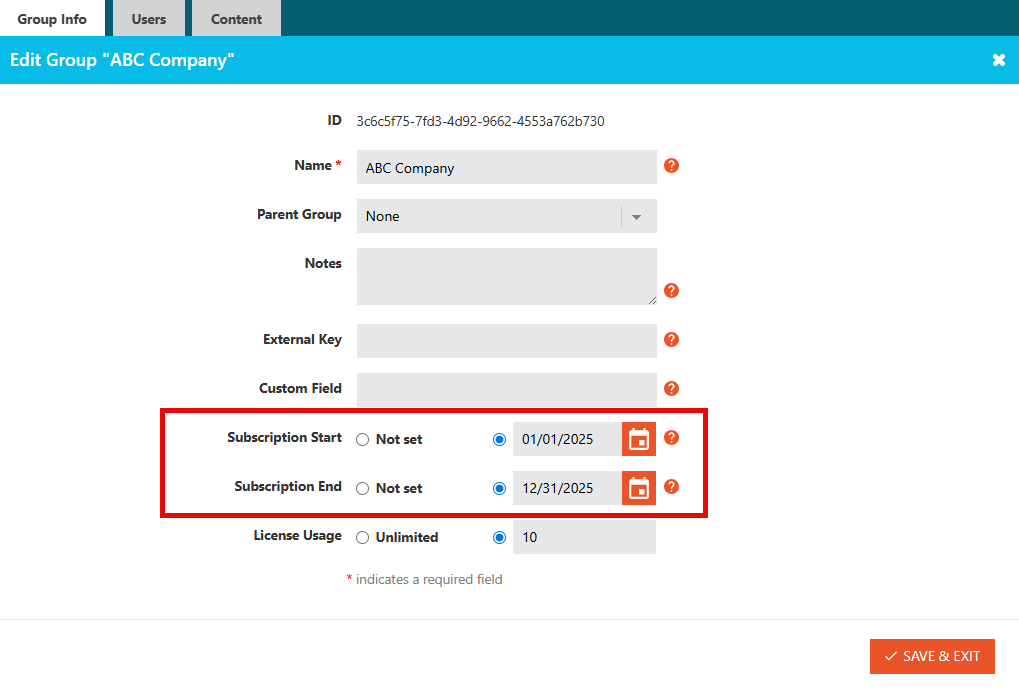
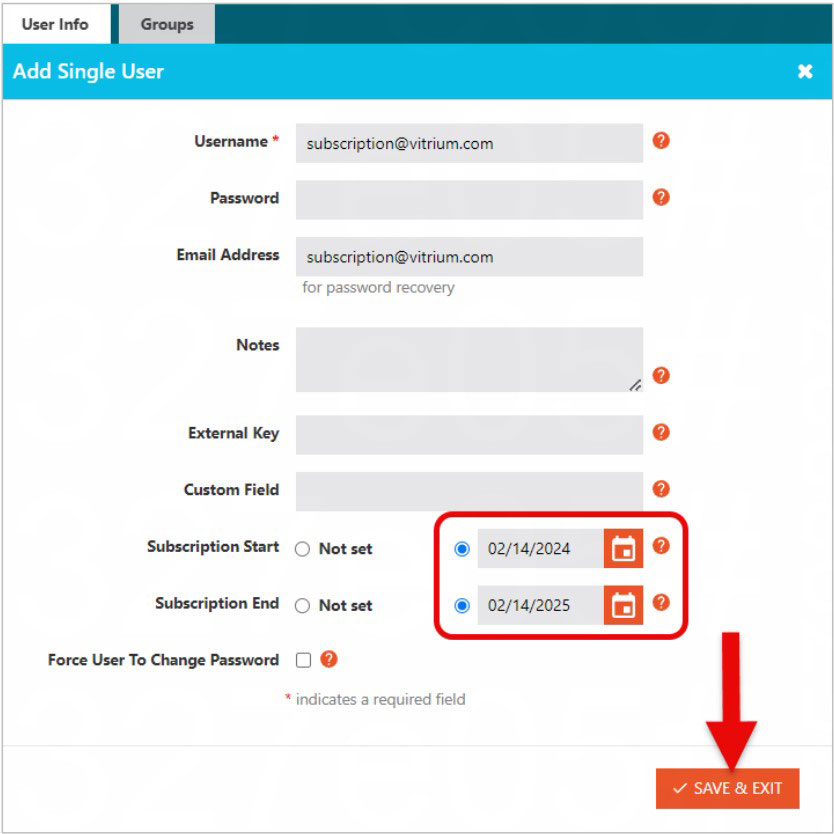
- Open a User or Group to set their respective subscription start and end dates
Where to Find Subscription Dates for a Group
Where to Find Subscription Dates for a User
If User Tries to Access Content Outside of Subscription Dates
When a user attempts to access content or login to the portal on a date that falls outside of their subscription period, they will be denied access and shown the following error message:

What You Will See
You will see the error code “qw1” in the User Activity Log report:
