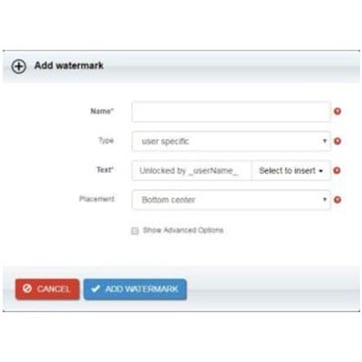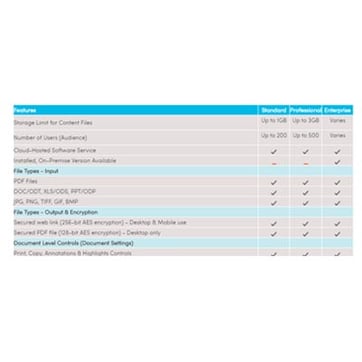
Vitrium offers two types of watermarks, dynamic and static, for PDFs, images, and videos. These watermarks allow content creators to add their copyright disclaimer.
When you're distributing digital content there’s always a risk your content could be misused or shared without authorization. For this reason, it is not only important to have a strong DRM protection strategy in place to ensure that only authorized users can access content, but to leverage tools that will deter copyright infringement and unauthorized sharing or copying.
Watermarks play a crucial role in discouraging unauthorized distribution and identifying the source of potential leaks and foul play.
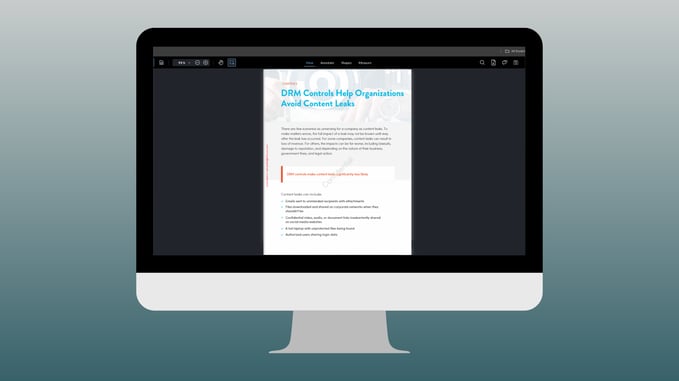
What is a Watermark?
A watermark is a visible or invisible unique embedded identifier that is inserted into digital content (such as PDFs, images, documents, videos) that helps establish ownership, add security, discourage piracy, and provide traceability. In the context of digital content protection, watermarks often contain user and content specific information, and are designed to be persistent and difficult to remove.
Some of the functions of digital watermarks are:
-
Ownership Attribution - Establishes who owns the content
-
Content Protection - Discourages unauthorized use, copying, or distribution
-
Traceability - Identifies the source of a leak if content is shared illegally
-
Authentication - Confirms that the file is genuine and hasn't been tampered with
Why Use Watermarks in a DRM Strategy?
Watermarks are not a standalone solution, but when combined with DRM software, they add an additional layer of accountability and deterrence that is important for content distributors to keep control over their digital files. While DRM controls determine how content is accessed, viewed, printed, and shared, watermarks help visually remind users that the content is protected and monitored. Additionally, user-specific watermarks help the content administrator trace violators in the instance of piracy.
Watermarking is valuable because it:
-
Discourages screen captures and printing for redistribution
-
Adds traceability, tying content to a specific user or licensee
-
Supports legal ownership and copyright messaging
-
Enhances security without relying solely on file encryption
How Do Watermarks Work in Vitrium?
Vitrium DRM offers a robust watermarking system that significantly enhances security. Implementing Vitrium's powerful watermarks in tandem with all the digital rights management controls available in the platform ensures that digital content will be kept secure and that potential misuse will be deterred.
There are two types of watermarks that Vitrium admins can choose from: static and dynamic. Static watermarks are text-only and can establish the ownership as well as confidentiality of the content (i.e.: confidential; do not copy or share; copyright [Company Name]; all rights reserved). Dynamic watermarks are user-specific and include user details (i.e.: user ID, username, IP address, company name, unlock details, expiry dates, etc.).
Below are examples of ways in which these two types of watermarks can be used together to enhance your security protocols.
- Static Watermarks: These can be placed on the file to establish ownership over the content and act as a reminder that the content being viewed is sensitive, confidential, and should not be copied, tampered with, or shared. Static watermarks act as a first layer of warning or protection to prevent piracy or misuse. In Vitrium, you can select the color, font, size, and placement of these watermarks.

- Dynamic Watermarks: These can be placed on the file to embed user-specific information. These watermarks apply at unlock-time, and the fields that have been selected to be part of it auto-populate with the details specific to the user that is accessing the content. The idea is to include information which will allow for identification of the user who unlocks the file. You can choose to include details such as the user ID or username to establish who the content has been licensed to, as well as content expiry date and unlock date and time. Dynamic watermarks offer a deeper layer of protection, including information about the user lets your customers know that they are being tracked, and deters them from incurring in unlawful activities such as copying or sharing.

Combining these two types of watermarks is a great way to obtain the highest level of security. Static watermarks remind the user that the content they're viewing is copyrighted and/or confidential, while dynamic watermarks embed details that let the user know they're being tracked and monitored, and any attempts to violate the security measures in place will be traced back to them.
Vitrium offers flexible placement and design for your watermarks. This allows you to control where and how watermarks appear. Some options include:
- Position: top, bottom, left, right, diagonal, or custom placement
- Design: Font, font size, font color, and opacity
Additionally, you can create and save multiple watermark templates and apply them to different content assets depending on the specific needs you have for each of them. For a detailed explanation on how to set up watermarks in Vitrium, please watch the video below:
Watermarks + DRM: A Powerful Combination
Watermarks are a simple yet powerful tool, useful for deterring content misuse and reinforcing digital ownership. With Vitrium DRM, watermarking is more than just a visual overlay, it is a dynamic, traceable, and customizable security layer that can help you keep control over your digital content.
If you’re distributing valuable or confidential digital content, consider how dynamic watermarks can complement your content protection strategy. Vitrium’s powerful watermarking features ensure your intellectual property remains secure, without compromising user experience.