It is very important to review key information about your end user’s issue, especially if they don’t provide you with a lot of information other than "I can’t access my content".
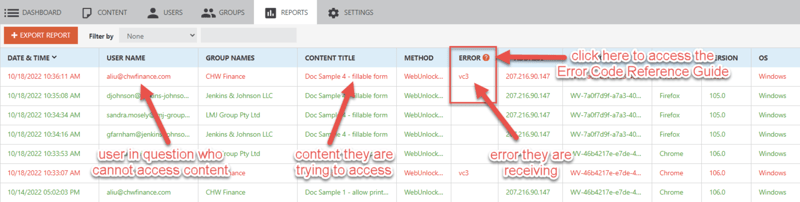
The first place to check will be the User Activity Log – in your Vitrium account, go to the Reports tab and this will be the first report that appears.
Scan to find the user in question to see if any information was logged and what error shows: