Disabling the "global object security policy" does NO HARM to your user’s computer. It is simply a mechanism to create a single tracking ID (or cookie) on their computer, no different than how a browser session tracks cookies as well.
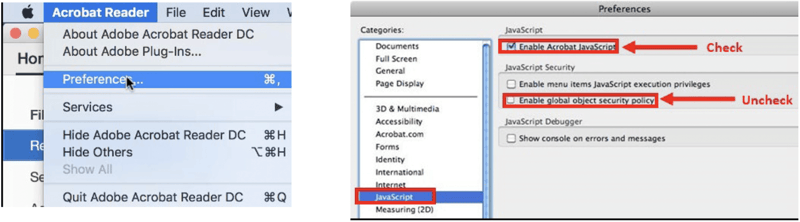
To disable this feature in Adobe on a Mac:
- From the top menu bar, click Acrobat Reader > Preferences.
- Under Categories, click JavaScript.
- Uncheck the field “Enable global object security policy" and ensure the "Enable Acrobat JavaScript" field is checked.
- Click OK.