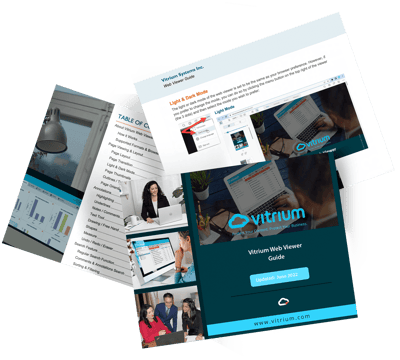


About Vitrium Web Viewer
Learn all about Vitrium's web viewer format, one of its main encrypted formats for documents and images.
Page Viewing & Layout
Learn how to zoom in and out of a web viewer document, or change the page layout.
Page Transition
Learn how to change page transitions to suit the way you read content online.
Light and Dark Mode
Learn how to switch between light mode and dark mode to make it easier on your eyes.
Page Thumbnails
Learn how to view page thumbnails so you can scan through the content quickly.
Outlines and Table of Contents
If your content has a Table of Contents, learn how to use the viewer's Outlines feature.
Page Orientation
Learn how to rotate a page, especially if an image or page appears the wrong way.
Annotations
Learn the different ways you can highlight in your content, set up preset colors, and more.
Underlines
Learn about the different underline features including regular underline, strikeouts, etc.
Notes and Comments
Learn how to add notes throughout your content, color-code them, and search.
Text Tool
Learn how to add text directly on the page of your content and how to change font styles.
Drawing Free Hand
Learn how to draw or write free-hand and change color, thickness, and opacity.
Shapes
Learn how to add different shapes including arrows, lines, circles, and more.
Measure
Learn how to measure details in your document, change dimensions, scale, etc.
Undo / Redo / Eraser
Learn how to undo or redo any of your notes or comments or highlights, and how to erase.
Search Feature
The Vitrium Viewer has an extensive search feature where you can search for words or phrases found in the content, but also for words that appear in the comments that you make.
Regular Search Function
Learn how to search for a word or phrase in your content and choose other filters.
Comments and Annotations Search
Learn how to use the advanced search function to search in the comments.
Sorting and Filtering
Learn how to use the sort and filter options to get more granular with your search.
Offline Access
Learn how to save your content for offline use so you can access your content while on a plane, train, bus, or away from a wifi zone.
Printing
Learn how to print from within the web viewer, if this option has been provided to you. Learn how you can print any highlights or annotations you've taken, or how comments will appear when printed.
Direct Links
You can link directly to a specific web viewer document in an email or the website or app that you use to distribute content to. You can even link to a specific page or bookmark within the content.
Web Viewer Controls
Control what toolbars or other web viewer functions a user can see in Vitrium's DRM Policy Settings.