To view your content offline when you’re in airplane mode or disconnected from Internet or WiFi, you’ll need to click the “Save for offline use” icon. This was previously known as “Save to Browser”.
Steps to Connect for Offline Access:
- Click the 'Save for offline use" icon at the top right of the web viewer toolbar:
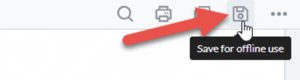
- The content will start ‘downloading’ or effectively saving to your browser’s memory/cache and you will see this message appear:

note
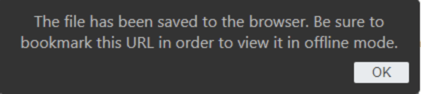
The content is NOT being downloaded to your desktop. - When the download/save process is complete, you should bookmark the web viewer URL and you will see this message appear:
- You can now safely disconnect from the Internet and access your content!
- To remove the content from your browser’s memory/cache later, you can click the “Delete” icon from the top right of the viewer: