To search for a word or phrase in your document, click on the “Search” icon:

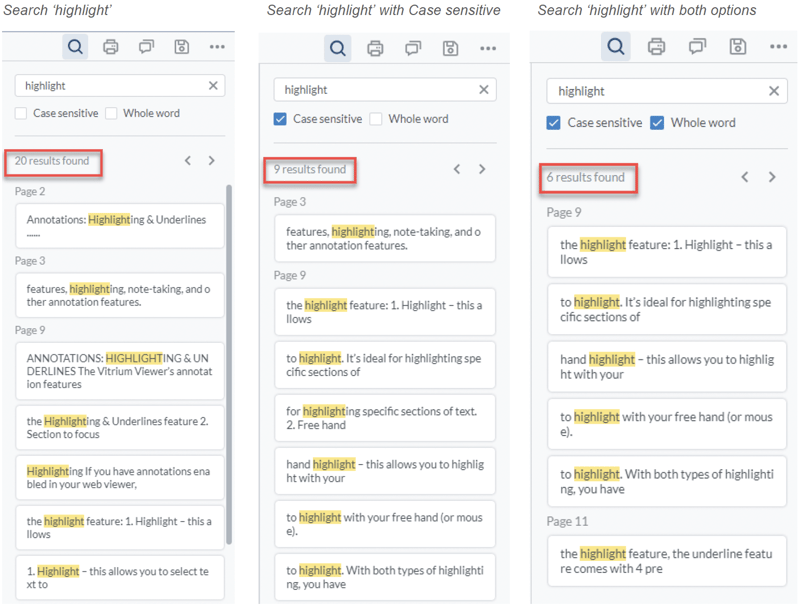
Type in your search word or phrase and you’ll see all results of that word in the document within the context of that page, including which page it appears on.
note
You can select 'Case sensitive' or 'Whole word' to narrow your search further.