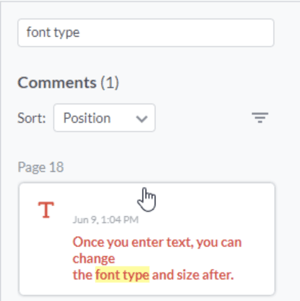
Another advanced search feature in the web viewer is the Comments and Annotations Search.
To search for a comment, note, highlight, shape, or other annotation in your content:
- Click the Comments icon at the top right of the viewer:

- If you have a variety of different comments and annotations, this is what will appear on the right side in the Comments panel, sorted by Position (page number) as the default:

- If you type a word in the “Search comments” field, it will narrow down your search: