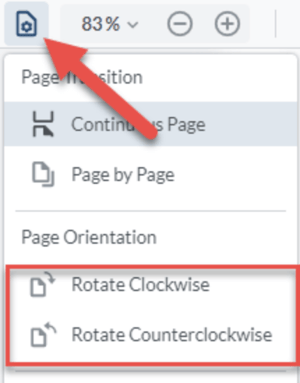
To rotate ALL pages in your content, click the "View Controls" button, then select which way you want to rotate all pages:
- Rotate Clockwise: this will rotate all pages clockwise
- Rotate Counterclockwise: this will rotate all pages counterclockwise
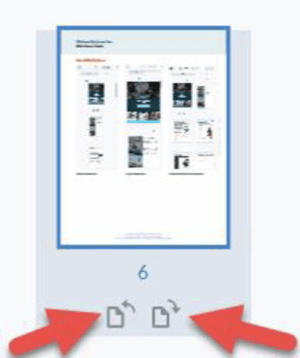
To rotate a SINGLE page, click the "Panel" button and ensure you're in the Thumbnails view, then:
- Click on the page you want to rotate
- Choose the Clockwise or Counterclockwise icon beneath the thumbnail.