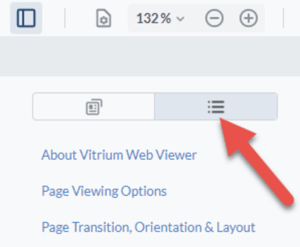
To view the Outlines or Table of Contents, click the ‘Panel’ button on the left-hand side of the web viewer, then click the Outlines icon.
note
Outlines are the same as bookmarks in PDFs. They will only appear in the web viewer if your original document had the outlines (or table of contents set up correctly). A good way to check is to open your original PDF file in Adobe Reader and click the Bookmarks feature – if you do not see your table of contents appear, then you may need to go back and fix the PDF settings in your original document, whether in Word, InDesign, or Illustrator file.