In Vitrium, you can enable the Subscription Policy:
- By Users
- By Groups
You can only choose one option and, whichever one you choose, you can set a subscription start and end date the user or group to have access to access you've granted them permissions for.
Subscription Policy by Users

Subscription Policy by Groups

important note
Users or groups will still need to have permissions assigned to them. The subscription policy indicates the time period when they can access that content.
To Enable the Subscription Policy
- In Vitrium, go to the SETTINGS tab
- Click the drop down menu next to Enable Subscription Policy and select one of the options:
- Enable at Group Level
- Enable at User Level
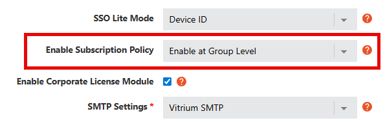
- Click SAVE SETTINGS in the top left corner.
- Depending on which option you selected, go to either the USERS tab or GROUPS tab and you should see two new columns:
- SUBSCRIPTION START
- SUBSCRIPTION END
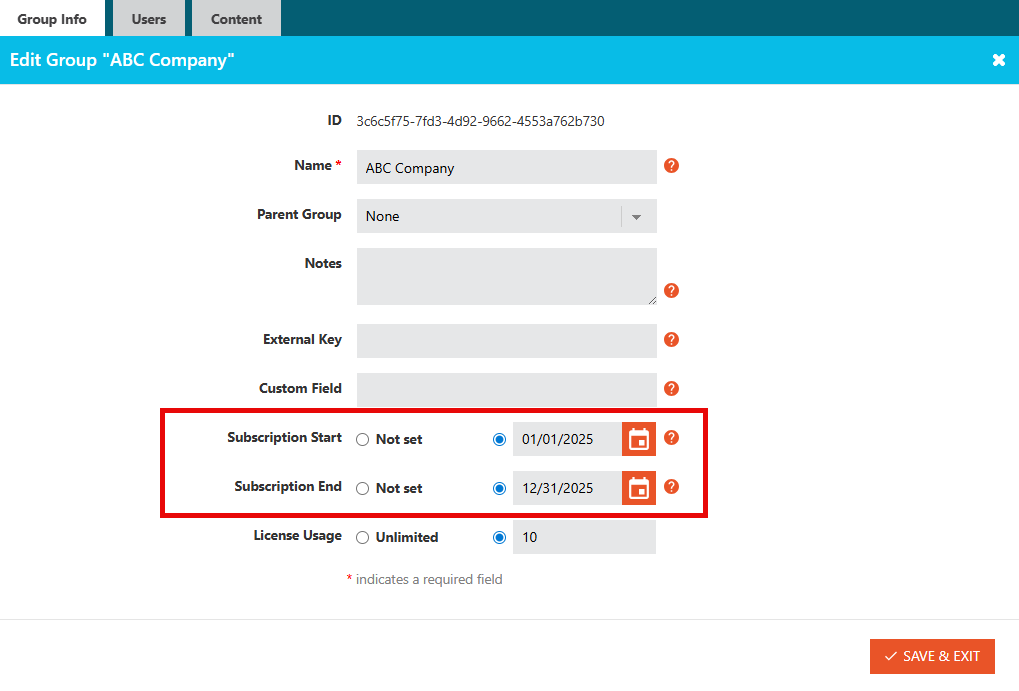
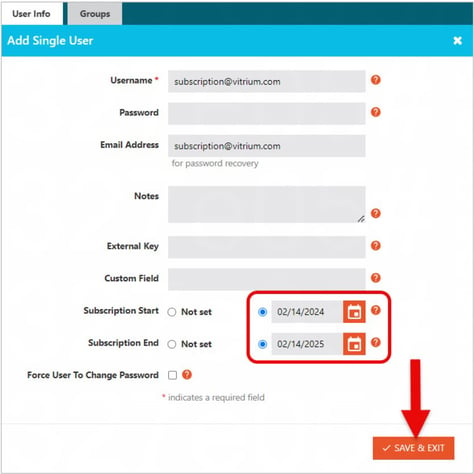
- Open a User or Group to set their respective subscription start and end dates
Where to Find Subscription Dates for a Group
Where to Find Subscription Dates for a User
important note
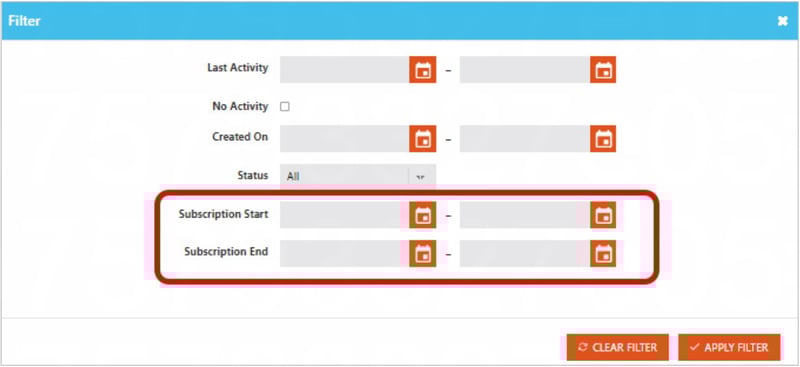
When subscriptions are enabled via the User Level, the search filter in the USERS section of the admin updates to allow for queries based on subscription start and/or end dates.
If User Tries to Access Content Outside of Subscription Dates
When a user attempts to access content or login to the portal on a date that falls outside of their subscription period, they will be denied access and shown the following error message:

What You Will See
You will see the error code "qw1" in the User Activity Log report:
