To view the activity of all users within a group, follow these steps:
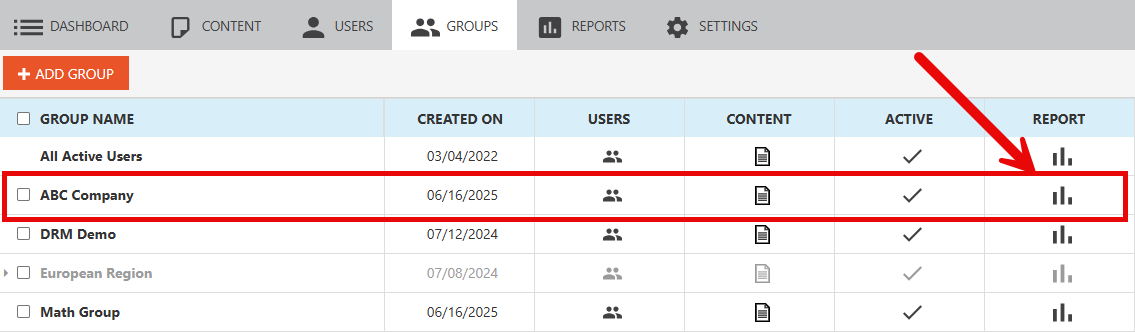
- Click the Report icon beside the Group in question
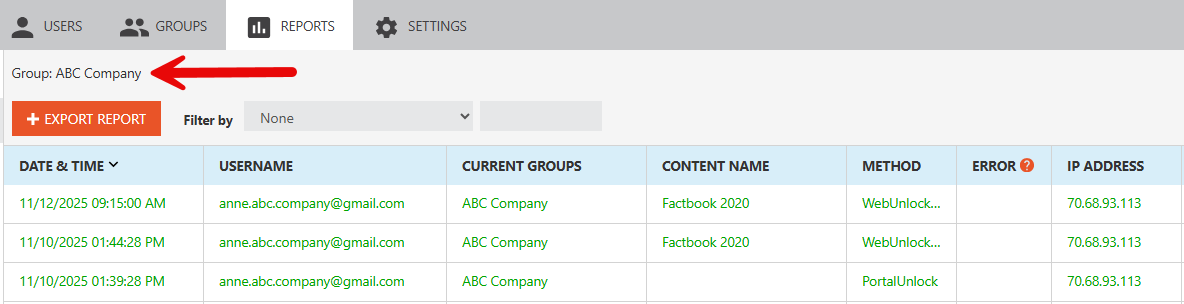
- You will then be taken to the User Activity Log in the Reports section, which will filter down to only the users in that Group
To view the activity of all users within a group, follow these steps:
We strongly believe in being responsive and accountable, which sets us apart from others in the industry.
© Copyright 2026 Vitrium Systems Inc.