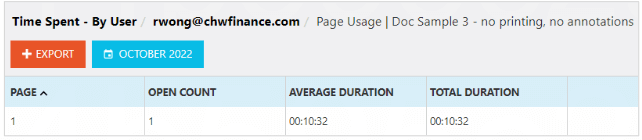
Learn about the different view reports and time spent reports in Vitrium:
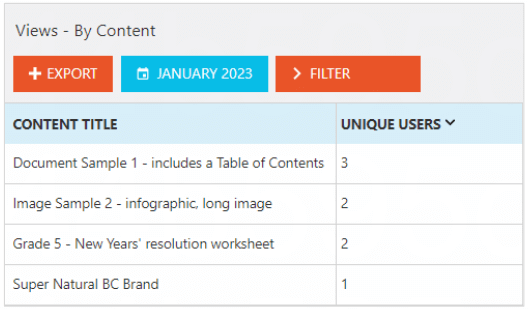
Views by Content
This report shows the total number of unique users who have viewed and accessed each content within the date range:
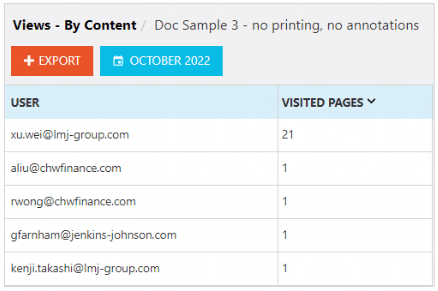
You can click on a file to drill down to see all users who have accessed that content and the total pages they have read:
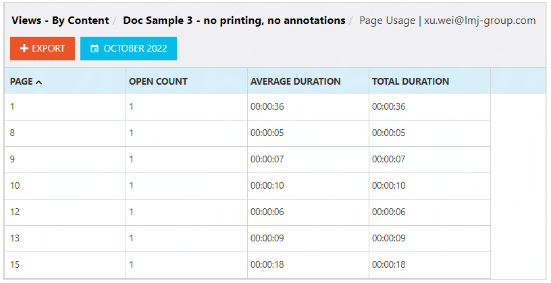
You can drill down even further by clicking on a user to see all the pages and documents they have viewed/opened:
Views by User
This report shows the total views of all content by each user within the selected date range:
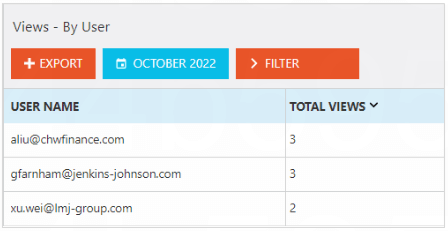
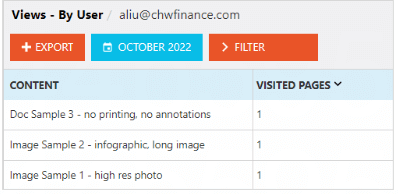
You can click on a user to drill down to see all the content they have accessed and how many pages read/visited:
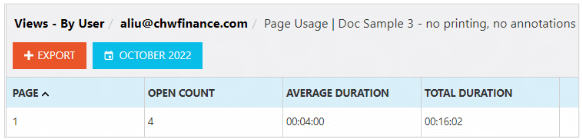
You can drill down even further by clicking on content to see all the pages/files that user has viewed/listed to/read:
Time Spent by Content
This report shows the time spent by all users for a specific content in each date range, by average and total duration:
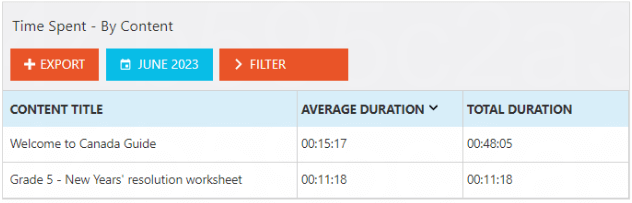
You can click on a content to drill down to see all the users that have accessed this content, including each of their average and total duration time spent:
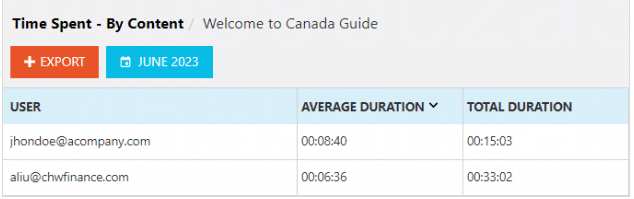
important note
Average Durations are the sum of your users' averages, and will change over time.
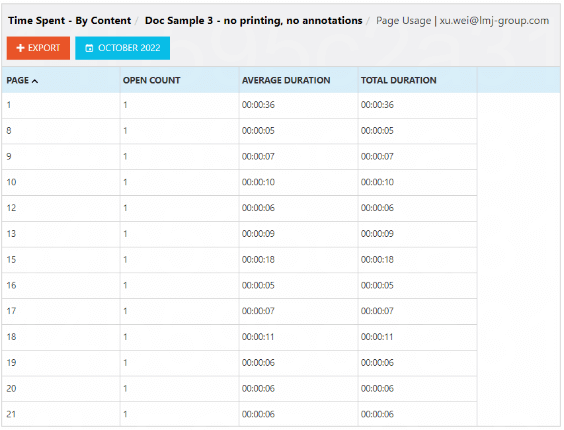
You can drill down even further by clicking on a user to see all the pages they viewed, and the average & total time spent on each page:
Time Spent by User
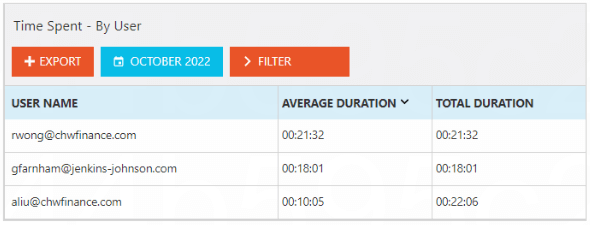
This report shows the time spent on all content for a particular user in each date range, by average and total duration:
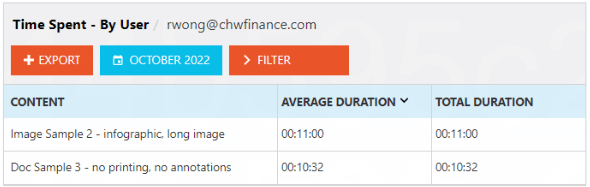
You can click on a user to drill down to see all the content they have accessed, including the average and total duration:
You can drill down even further by clicking on a content to see all the pages they viewed, and average & total duration: